
For gyms
Bring in the week however it arrives
WodWiz takes the week of programming you already have, from your provider or your own coaches, and turns it into a week of classes on every member’s phone. You paste it or upload it, check what WodWiz found, and add it.
No retyping the week one workout at a time.
How it reads
How the import reads a week.
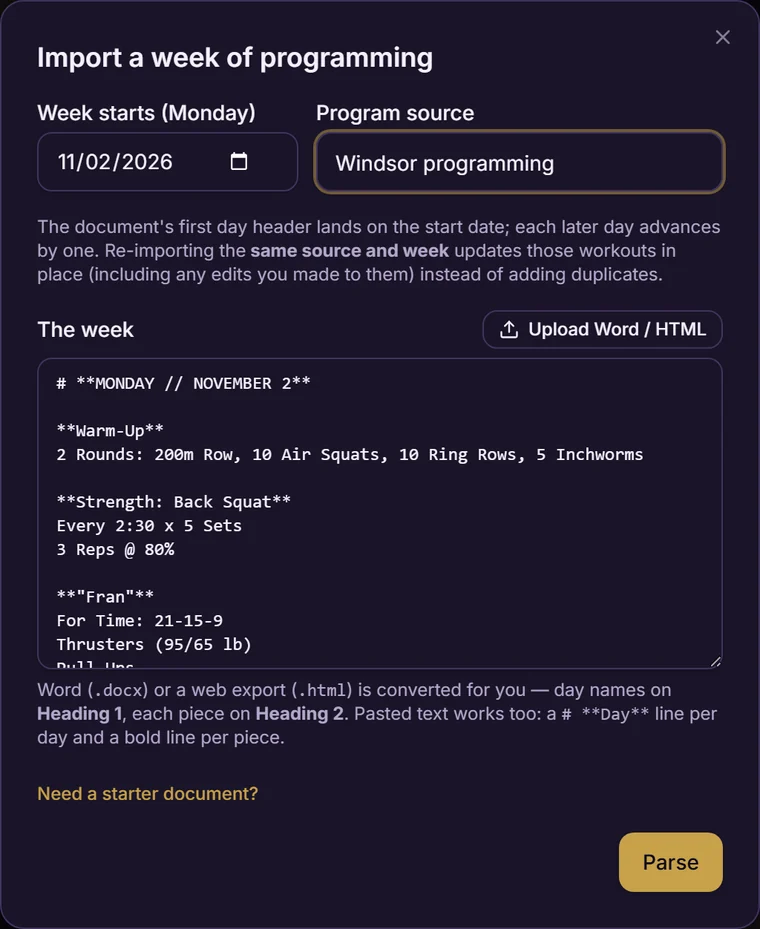
You pick the Monday the week starts on, name where it came from, and drop the programming in. WodWiz reads it for what it says:
- Days.
- Found by what the document says, not by how it's styled.
- Pieces.
- Each block is sorted into warm-up, strength, skill, workout or cool-down.
- Sets and reps.
- Read out of the text, so a strength piece is set up to log set by set, with the weight and whether the member made it.
- Movements.
- Tagged as they're found, so Back Squat, Pull-up and Thruster link to each member's own history.
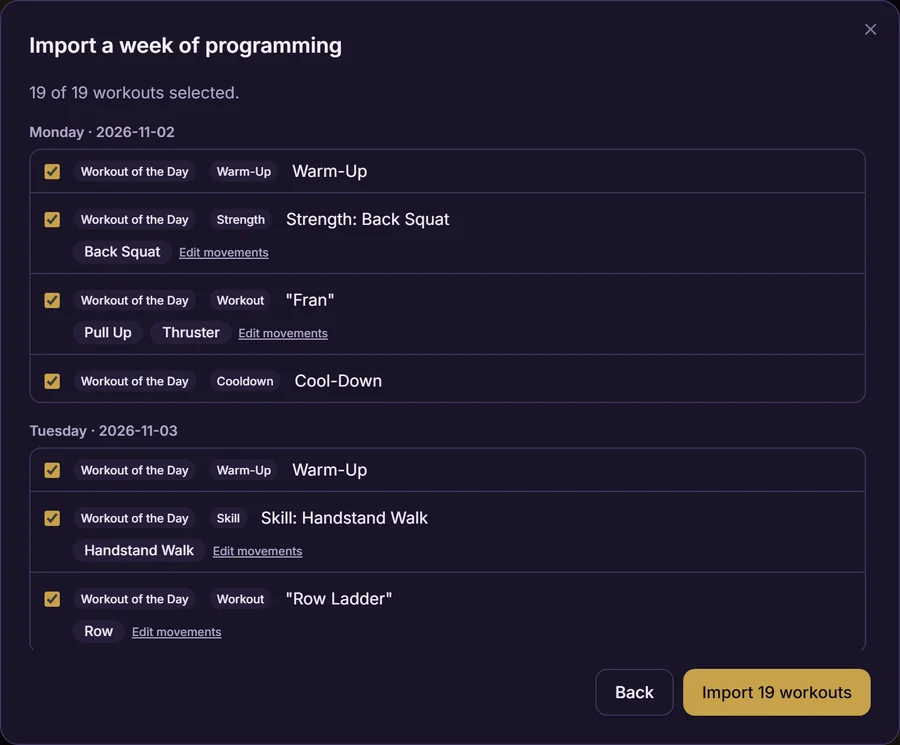
A typical week comes back as every workout across the week, already sorted, before anything is added.
Check it
Fix anything before members see it.
Nothing is added until you’ve looked it over and tapped Import. Go through each day, untick anything you don’t want, and fix a piece WodWiz read wrong. Then the week is on the calendar.
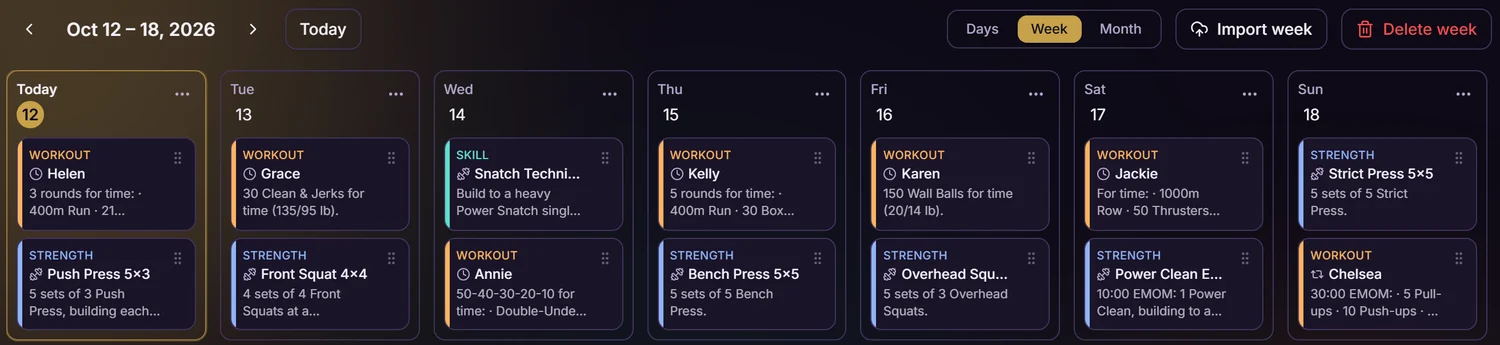
On the board you can drag a piece to another day or swap whole days around, and undo if you change your mind. Every edit reaches members’ phones at once.
Mid-week changes
When your provider changes something.
Import the same source and week again. WodWiz updates those workouts in place and keeps every result members have already logged. Anything already on the calendar for that day is marked “Will update” in the review, and edits you made by hand to those workouts are replaced, so you can see exactly what will change before you accept it.
For members
What members get out of it.
- The day, before class.
- Members see the day's workouts before they walk in.
- Their own weights.
- When a piece is programmed as a plain percentage, like “75% of your 1RM,” each member sees their own number, worked out from their own logged lifts. No percentage math at the rack.
- Somewhere to log.
- Scores go straight onto the workout's leaderboard, and PRs are flagged before they hit save.
For coaches
What coaches get out of it.
- Prep for class.
- Every piece, the scaling and the weights for everyone in the room, on one screen before class starts.
- A balance check.
- “Around this day” shows what the days around it already cover, by movement pattern and equipment, so you can spot a third squat day in a row before members do.
Questions
Questions owners ask.
- Do I have to change how my provider sends the programming?
- No. Bring the week in the way it arrives. WodWiz reads what the programming says, not how it's styled.
- What if it reads something wrong?
- You review everything before it’s added, and you can fix a piece’s lane, segment and movements. If a document ever doesn’t read right, send it to hello@wodwiz.com and we’ll teach the importer to read it.
- What happens to members' scores if I re-import a week?
- They stay. Re-importing updates the workouts in place and keeps every result already logged.
- Can coaches write their own programming instead?
- Yes. Write a week yourself on the board, or import one and edit it.
Setting it up.
We’re bringing gyms on a few at a time and setting each one up with you, including your first import. Leave your gym and your email and we’ll find fifteen minutes to talk. No slides.